HD Video Player & Media Player
- 4.8
- Rating
- 100.00K
- Installs
- Free
- Price

 Analysis by App-foxy
I spent time with HD Video Player & Media Player as a straightforward Android tool for watching videos and listening to music, and my first impression was practical rather than flashy. It is built for people who want one player that can handle everyday media without making them sort files into separate apps. Infinity Tech Systems presents it as a free app in the Video Players & Editors category, with a focus on broad format support, smooth playback, and an equalizer.
That combination sounds familiar, because Android already includes basic playback tools and many phones come with a manufacturer media app. The reason to try this one is convenience: it aims to bring video playback and music controls together in a single place while offering more control over sound than a very simple gallery player. In my experience, that makes it most interesting for users who regularly move videos between devices, keep local music files, or find their phone’s default player too limited.
What the player is like in everyday use
The app’s appeal becomes clearer when I treat it as a practical media shelf rather than a streaming service. I would open it when a downloaded video does not behave well in the phone’s gallery, when I want to listen to a local audio file with more control over sound, or when I need one familiar player instead of switching between a file manager, gallery, and music application.
You May Also Like

 Blood Strike: 2.5 Anniversary
Blood Strike’s Loadouts Turn Every Drop Into a Tactical Gamble
A close look at Blood Strike’s custom loadouts: how fast access to signature weapons reshapes its battle royale rhythm, rewards preparation, and narrows the gap between fights.

 Pandora - Music & Podcasts
Pandora’s Music Is Easy to Start, but Harder to Recover
Pandora’s strength is its low-effort path from a seed to a station. Its weak spot is how much confidence it asks you to place in connection, setup, and quiet recovery.

 8 Ball Pool
 Is Built on Rivalries, Rematches, and Routine
A close look at the rivalries, rematches, shared routines, and unanswered safety questions that turn a quick pool match into a persistent mobile community.

 Samsung Music
’s Quiet Strength Is Playing What You Already Own
Its reach comes less from spectacle than from dependable access to a personal library. That simplicity is both the app’s strongest retention engine and its ceiling.

 AccuWeather: Weather Radar
AccuWeather Review: A Quick, Clear Forecast for Everyday Decisions
For everyday plans, the best forecast is the one you can understand quickly. AccuWeather makes rain timing, radar, and local conditions easy to act on, with a few trade-offs.

 Hill Climb Racing
Why Hill Climb Racing Still Turns Crashes Into One More Run
A tiny car, a bumpy hill and one more upgrade: Hill Climb Racing keeps resurfacing because its simple chaos makes every near-miss feel personal.
More From Our News Desk
View All News


The free entry point matters here. You can try the core experience without paying upfront, while optional in-app purchases are listed from $12.99 to $38.99 per item. That creates a useful distinction: the app is easy to test at no initial cost, but anyone considering a purchase should decide whether the extra value is meaningful for their own routine rather than assuming that paying is necessary for basic playback.
Its audience rating is Everyone, which fits the general purpose of the app. It is not presented as a specialist editing suite or a social video platform. I see it as a utility for personal playback, and that narrow purpose is one of its strengths. It does not need to compete with a full editor when all I want is to open a file and watch it.
The current release is version 5.1, and the app supports Android 8.0 and later. That gives it a reasonably broad potential audience, including people using older Android phones that may not receive the newest system media features. Still, compatibility on paper is not the same as identical performance on every device. Playback depends on the file, the phone’s hardware, and the way Android handles that particular format.
Why an all-in-one player can be useful
I find the combined video-and-music approach especially handy in a household where media comes from several places. A short clip recorded on a phone, a downloaded lecture, an old concert recording, and a collection of audio files may all sit in different folders. A dedicated player can make that workflow feel less fragmented than relying on whichever application happens to open each file by default.
There is also a small but important difference between opening a file and managing a listening session. A gallery application is usually designed around photos and videos captured on the phone, while a music application may prioritize streaming, playlists, or a cloud library. A local media player sits between those worlds. That is where this app makes sense: it gives local video and audio a common home.
One useful habit is to use it as a test before changing your whole setup. I would install it, open the files I actually use, and check whether playback feels reliable on my phone. That is more informative than judging it from the store summary alone. If it handles the formats and controls I need, the free access makes experimentation relatively low-risk.
Sound controls are more valuable than they first appear
The equalizer is not just a decorative extra for me. Different recordings can have very different volume and tonal balance. Spoken video may need clearer voices, while music may sound more comfortable with a different balance. Even without chasing a perfect audiophile setup, having an adjustment layer can make a local library easier to live with.
My practical advice is to make small changes instead of immediately pushing every control to an extreme. Strong boosts can make one recording seem exciting and another harsh. The equalizer is most useful when it solves a specific problem, such as muddy speech or thin-sounding audio, rather than being treated as a permanent “more is better” switch.
This is also where the app can offer more value than a basic built-in player. Many default viewers are excellent at opening a camera clip but give little attention to listening comfort. If you watch tutorials, interviews, language lessons, or older recordings, sound adjustment may matter more than visual polish.
Handling different files without overpromising
The app is positioned around playing all formats, which is an attractive goal for a local player. In real use, I would interpret that as broad format coverage rather than a guarantee that every unusual file will work perfectly on every Android phone. A file can depend on a codec, container, resolution, audio track, or hardware capability that the device does not handle well.
That distinction is important when deciding whether this can replace your existing tools. For ordinary videos and music, a general-purpose player is a sensible first choice. For a damaged file, a very new codec, or a demanding high-resolution recording, I would keep another option available. If the file itself is incomplete or the phone lacks the necessary decoding support, no simple player can turn it into a flawless playback experience.
A useful troubleshooting workflow is to compare several kinds of media rather than testing only one favorite file. I would try a short video, a longer recording, an audio track, and any format that has caused trouble before. If one file fails while others work, the issue may be specific to that file or codec. If everything struggles, the phone or app configuration may be the more likely problem.
A realistic daily scenario
Imagine downloading a training video before a commute. The file is stored locally, and the phone’s gallery opens it but offers limited audio control. I would use this player to start the video, adjust the equalizer so speech is easier to follow through headphones, and return later to the same local media area for an audio file. That is a modest workflow, but it shows where the app earns its place: fewer handoffs and more control during ordinary playback.
Another example is sharing a phone with family members. One person may watch personal recordings while another listens to downloaded music. A single recognizable player can reduce the need to explain which application should open each file. It is not a full media-center solution, but it can be less confusing than a collection of separate viewers with overlapping roles.
Where it differs from the usual alternatives
The closest alternative is often the phone’s built-in gallery or media application. That option usually wins on convenience because it is already installed and closely integrated with the device. If you only watch camera videos and rarely touch local audio, installing another player may not change much. The built-in option is the better choice when simplicity matters more than format flexibility or sound adjustment.
Streaming music services are a different comparison. They are better for discovery, recommendations, and large online catalogs, while this app is more relevant to files already stored on the phone. I would not choose it as a replacement for a streaming subscription. I would choose it alongside one when I need a dependable place for personal or downloaded media.
Full-featured media players may offer deeper library management, casting, subtitle tools, network playback, or more advanced settings. Those applications can be preferable for users with a large collection or a home media setup. The trade-off is complexity. HD Video Player & Media Player is more appealing when I want a focused playback tool without turning every viewing session into a configuration project.
Cost and the question of paid value
The clearest value proposition is that the app is free to start. That lets a user judge playback on a real device before spending anything. The optional purchases, priced between $12.99 and $38.99 per item, mean the financial decision should come after testing rather than before it. I would not pay simply because the app has a high rating; I would pay only if the additional value directly improves a routine I already have.
The public response is encouraging, with an average rating of 4.8 from around 759 ratings and 78 written reviews. Those figures suggest that many users are satisfied, but they should still be treated as a signal rather than a substitute for personal testing. Media playback is unusually dependent on device hardware and file types, so my experience could differ from someone using another phone.
For me, the free version has the strongest value when it replaces a frustrating default player or removes the need to keep several basic playback apps. Paid value is harder to justify for someone who watches only occasional camera clips and already has a reliable built-in option. The right question is not whether the app is inexpensive in the abstract, but whether it solves a recurring annoyance.
Small trade-offs worth considering
The first trade-off is breadth versus certainty. A player that aims to cover video and music formats is convenient, but users with unusual files may still encounter differences between devices. I would avoid making it the only tool for important presentations or travel until I had tested the exact files I planned to use.
The second is control versus simplicity. An equalizer is useful, but it adds another layer that some people will never touch. If you prefer opening a clip with no settings at all, the default phone player may feel cleaner. If you care about speech clarity or the character of your music, the extra control becomes worthwhile.
The third is free access versus optional spending. The app can be evaluated without an upfront charge, but the listed purchase range is substantial enough that I would read the purchase screen carefully and decide based on actual need. A free download is not automatically the best value if the free experience does not cover your routine, and a paid option is not automatically worthwhile if the built-in player already does everything you need.
There is also the ordinary friction of local media: files must be accessible on the device, and playback quality can be affected by storage, hardware, and the media itself. This is not the right category for someone whose main goal is cloud synchronization, social sharing, or professional editing. Those needs call for a different kind of application.
Who should install it
I would recommend trying it if you keep videos or music locally, regularly encounter files that the default player handles poorly, or want an equalizer available during playback. It is also a sensible candidate for an older compatible Android phone where the manufacturer’s media tools feel basic. The combination of free access and a broad playback purpose makes testing straightforward.
It is particularly useful for students and commuters who save lessons, interviews, or other recordings for offline use. The sound controls can help when voices are difficult to hear, and having video and audio in one place keeps a simple offline library manageable. I would still test headphones, speakers, and the specific files used most often before relying on it heavily.
I would skip it if your media life is almost entirely streaming, if you only open photos and camera clips, or if your existing player already provides the controls you want. I would also look elsewhere if you need a complete media-server client, advanced collection organization, professional editing, or guaranteed handling of specialized formats. This app’s value is in practical playback, not in replacing every media tool.
My final buying decision
After weighing the free access, the combined video-and-music purpose, and the equalizer, I see HD Video Player & Media Player as a useful utility rather than an essential installation for every Android owner. Its strongest case is a real one: local media becomes easier to open and more adjustable, especially when the phone’s default tools are too limited.
I would install it first without paying, test the files I actually watch and hear, and keep an eye on whether it becomes part of my normal routine. If it reliably solves those problems, the optional purchases can be considered on their own merits. If the built-in player already works well, there is no strong reason to switch just for the sake of having another icon.
My verdict is positive but selective. The app offers a sensible free starting point, broad everyday usefulness, and a sound-control feature that can matter in real situations. Its limitations are equally clear: unusual media may still depend on the device, advanced media-management users may outgrow it, and paid value depends entirely on what the optional purchase adds for a particular person. For local playback on a compatible Android phone, it is worth trying; for streaming, editing, or serious media-library management, I would choose a more specialized alternative.
FAQs for HD Video Player & Media Player
01What is HD Video Player & Media Player, and which formats does it support?
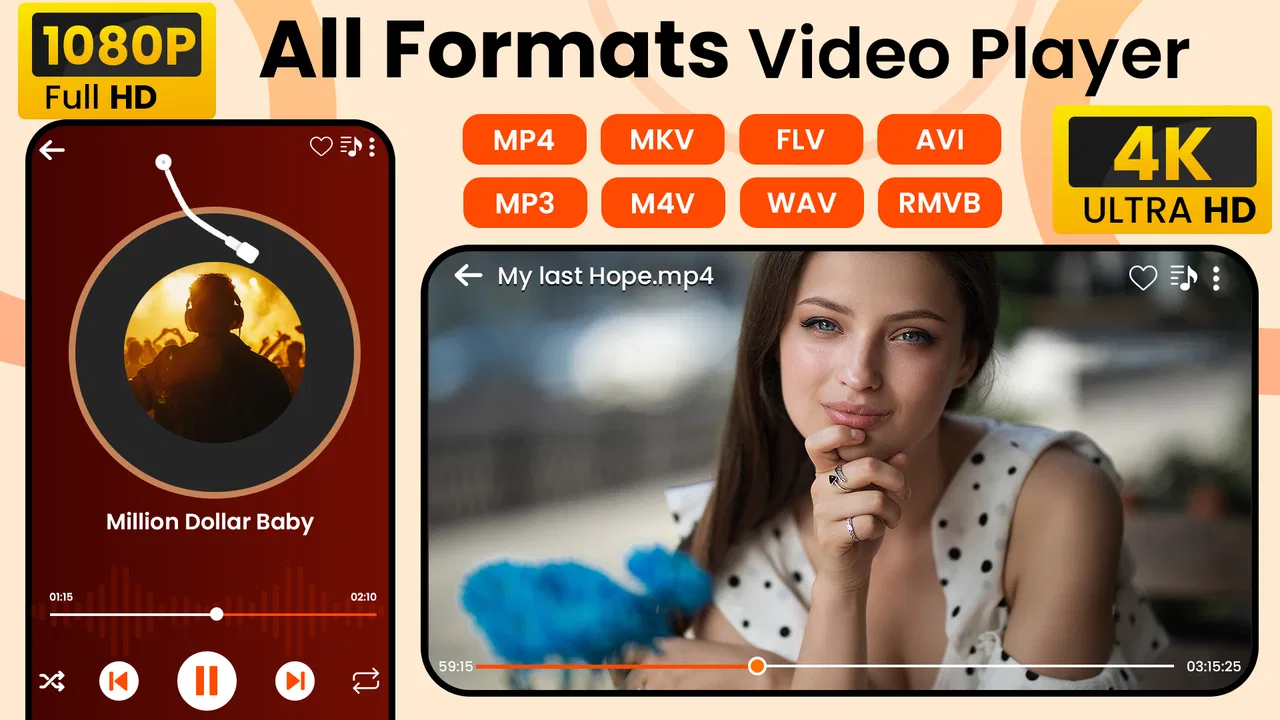
HD Video Player & Media Player is a mobile video playback app designed for watching movies, television episodes, personal recordings, and other saved media files. It generally supports popular formats such as MP4, MKV, AVI, MOV, and several common audio codecs, although compatibility can vary depending on your device. Before downloading large files, check that your phone has enough storage space and that the media format is supported.
02Can HD Video Player & Media Player play high-definition and 4K videos?
The app is built to handle HD video playback and may also play some 4K files when the device has sufficient processing power and hardware decoding support. Actual performance depends on the phone or tablet, video resolution, bitrate, codec, and available memory. On older devices, high-resolution videos may stutter, consume more battery, or fail to play smoothly even if the application recognizes the file.
03Does HD Video Player & Media Player work offline?
Yes, the application is primarily intended for playing video and audio files already stored on your Android or iOS device, so an internet connection is usually not required for basic playback. However, internet access may still be needed for advertisements, updates, optional online features, or downloading media from another service. Make sure files are fully saved locally before traveling or watching without connectivity.
04What playback features are included in HD Video Player & Media Player?
HD Video Player & Media Player commonly includes practical controls such as play, pause, seeking, volume adjustment, brightness control, screen rotation, aspect-ratio options, subtitles, and playback resume. Some versions may also offer background playback, gesture controls, playlists, or a floating player. Feature availability can differ by platform and app version, so review the permissions and store listing before installation.
05Is HD Video Player & Media Player safe to install, and what permissions does it require?
As with any media player, you should download HD Video Player & Media Player from the official Google Play Store or Apple App Store and verify the developer name, ratings, and recent update history. The app may request access to photos, videos, files, or local network content so it can find and play your media. Grant only permissions that match the features you intend to use, and avoid unofficial modified versions.
Pros
- Supports many popular video formats without extra codecs.
- Simple interface makes playback easy for beginners.
- Offers subtitle support for a better viewing experience.
- Includes useful playback controls such as speed adjustment.
- Can play locally stored videos without an internet connection.
Cons
- May display ads during use
- depending on the app version.
- Some advanced features may require in-app purchases.
- Performance can vary on older or low-end devices.
- Battery usage may increase when playing high-resolution videos.
- Privacy permissions should be reviewed before accessing media files.

HD Video Player & Media Player
Gallery